All your saves.Finally organised.
Save posts from X (Twitter), Reddit, Instagram, TikTok, LinkedIn, and any website in one searchable read-later library. Organise bookmarks with folders, tags, notes, and reminders so "later" actually happens.
- No credit card required
- Private by default
- Export anytime
@foodie_travels
Best hidden cafés in Bali 🌴☕ — full thread
@fitnesswith_sara
10-min morning routine that actually works 💪
@paulg
The best founders all share this one trait →
r/personalfinance
How I paid off $40k debt in 2 years — AMA
@ali_abdaal
Study techniques backed by neuroscience 📚
@lenny_rachitsky
Every great PM I know does this one thing
@interiorinspo
Minimalist living room ideas for small spaces 🏠
@thestoicdad
Parenting lessons from Marcus Aurelius 🧘
@sweatystartup
You don't need a novel idea. You need relentless execution.
r/learnprogramming
Roadmap I used to land my first $120k dev job
The best founders all share this one trait →
@paulg · X
How I paid off $40k debt in 2 years — AMA
r/personalfinance · Reddit
Study techniques backed by neuroscience 📚
@ali_abdaal · YouTube
Best hidden cafés in Bali 🌴☕ — full thread
@foodie_travels · Instagram
Every great PM I know does this one thing
@lenny_rachitsky · LinkedIn
Import from everywhere you save
You're not lazy. You're just working against yourself.
The save button is everywhere. The come-back-to-it moment almost never is. The problem isn't that you save too much — it's that every platform hides your best finds in a different drawer.
Savebase brings those scattered saves into one searchable library. Add folders, tags, notes, and reminders, so “I'll read it later” becomes something you can actually find and use.

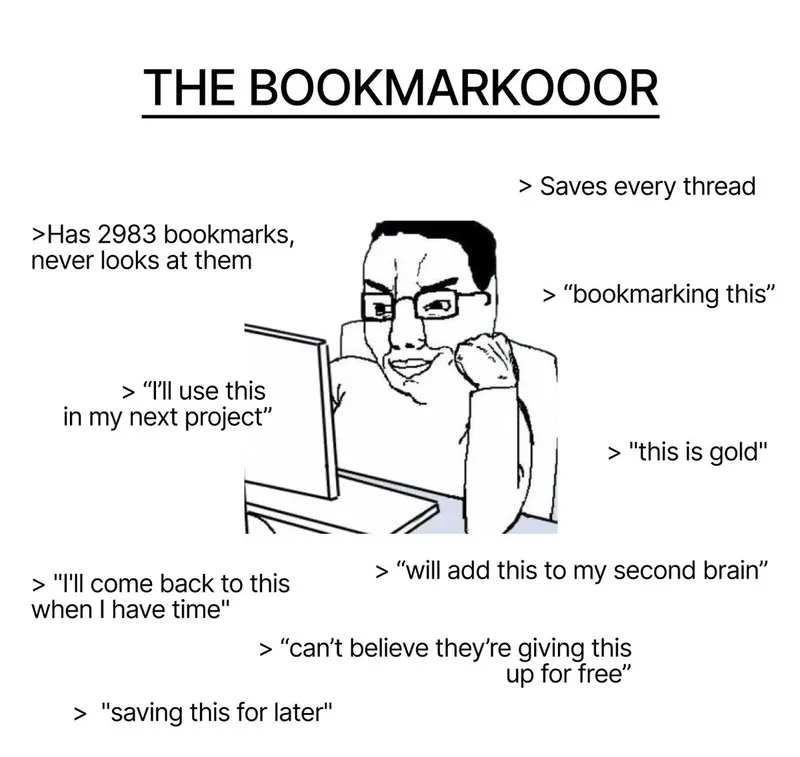








Every feature is an antidote to a bad habit.
Built specifically for people who save too much and use too little.
Thread on building with AI agents
AISaved Reel: Morning routine tips
HealthReddit: Best productivity apps 2026
ToolsLinkedIn: The definitive guide to deep work
ReadNever ask 'Where did I save that?' again.
Import from X, Reddit, Instagram, Tiktok and more — everything lands in one calm dashboard. One tab, zero chaos.
For everyone who's lost a great post in the bookmark void.
Library
Turn 10,000 forgotten saves into a few clear folders.
Organise into nested folders, as deep as you need. Your brain finally has a filing cabinet that makes sense.
For the person with 33 bookmark folders who still can't find anything.
Your Tags
click any to filterAI Bulk Tagging
Running…618 saves tagged so far · ~2 min remaining
Tag once, find forever — or let AI do it for you.
Add tags manually for precision, or unleash AI on your untagged archive to organise hundreds of saves in one go. Cross-folder, cross-platform — however you tag, everything surfaces instantly.
For the organised and the 10k-bookmark hoarder alike.
Upcoming Reminders
Review: Startup pitch deck teardown
Today, 6 PM
📁 Folder: AI Tools to Try
Tomorrow, 9 AM
#deep-work — 12 saved posts
Friday
Stop letting posts gather dust — 'later' finally becomes 'done.'
Set a reminder on a saved post and add the context you will need when you return. Savebase brings that reference back to your attention at the time you choose.
That weekend you planned to read it? Now it actually comes.
Why Notion's new AI feature is a game changer
@paulgraham · 3 days ago
"Apply this to the onboarding flow — especially the 'first 10 seconds' insight. Follow up after shipping v2."
Added a note · so future-you actually remembers why this mattered
Add a quick note so future-you remembers why you saved it.
One line of context beats re-reading an entire article to remember why it mattered. Annotate any save, instantly.
Not just what you saved — but why.
23 results across all platforms
Cold email scripts that actually convert — thread
How I landed 3 enterprise clients with cold outreach
r/startups: Share your best cold email templates
10,000 bookmarks, found in under a second.
Full-text search across every save, note, and tag — from any device. The content you've collected finally works for you.
Because your saves should be a library, not a landfill.
Export Destinations
Notion
● Connected
Google Sheets
● Connected
AI agents 101 — full thread
#aiSynced ✓Cold email that converts
#marketingSynced ✓r/startups: best tools 2025
#toolsSynced ✓Every save, tag & note — pushed to your tools automatically.
Your saves, in the tools you already live in.
Connect Notion or Google Sheets, then use Sync Now to update supported reference fields. Connected paid accounts also have scheduled background runs. Keep tags, notes and source links alongside your other research.
For Notion fans, spreadsheet nerds, and everyone in between.
Webhook Events
LiveAutomate your workflow — every save triggers an action.
Connect Savebase to Zapier, Make, Slack, or any app via webhooks. When you save, tag, or delete a post, your automations fire instantly.
For builders who want their library to drive their entire workflow.
MCP Server
ConnectedYou asked Claude:
"What did I save about kettlebell training?"
Ask your AI 'what did I save about…?' — and it actually knows.
Savebase exposes an MCP server so Claude, Cursor, and Windsurf can search your library directly. Your bookmarks become part of your AI's memory.
For anyone who wants their AI assistant to know what they've been reading.
Seamless by design
Save from anywhere. Access from everywhere.
Savebase goes where you go — not the other way around.
@paulg
2h ago
The best time to learn something is when you actually need it. Save the thread for when the moment comes.
Save button injected directly into the page
Share to…
Save to Savebase
Messages
Copy Link
Tap Share → Save to Savebase from any app
Your entire library, in your pocket.
Use the share sheet on any app — tap Share → Save to Savebase — and it lands in your library instantly. Browse, search, and organise your saves on the go.
See Savebase in action
Preview the Savebase bookmark dashboard: organise saved posts with nested folders and tags, then find anything quickly with search and filters.
Nested Folders
Organize with unlimited folder depth
Flexible Tags
Tag posts across multiple categories
Instant Search
Find any post in milliseconds
Advanced Filters
Filter by folder, tag, platform, media type, reminder, or date
Save bookmarks from X, Instagram, Reddit, TikTok, Facebook, Pinterest, LinkedIn, Threads, Bluesky, YouTube & Truth Social
Real problems. Real relief.
People who were drowning in saved content — and what changed when they found Savebase.
"Be tolerant with others and strict with yourself."
You saved it for a reason. Your future self is waiting on the insight sitting idle in your bookmarks right now.
Frequently Asked Questions
Everything you need to know about Savebase
What platforms does Savebase support?
How do I save posts to Savebase?
Can I organize my saved posts?
What's included in the free plan?
Does Savebase work on mobile?
Can I sync to Notion or Google Sheets?
Is my data secure and private?
What happens if I cancel my Pro subscription?
If you bookmark everything, feel productive, and never come back —
Savebase is your fix.
One calm dashboard. Organised folders. AI-tagged in minutes. Reminders so "later" actually comes. Start free — import your existing saves and watch the chaos turn into a library.
Start free in minutes. Import your existing saves and watch the chaos turn into a library.
Free: 100 social posts and unlimited web links · No credit card required