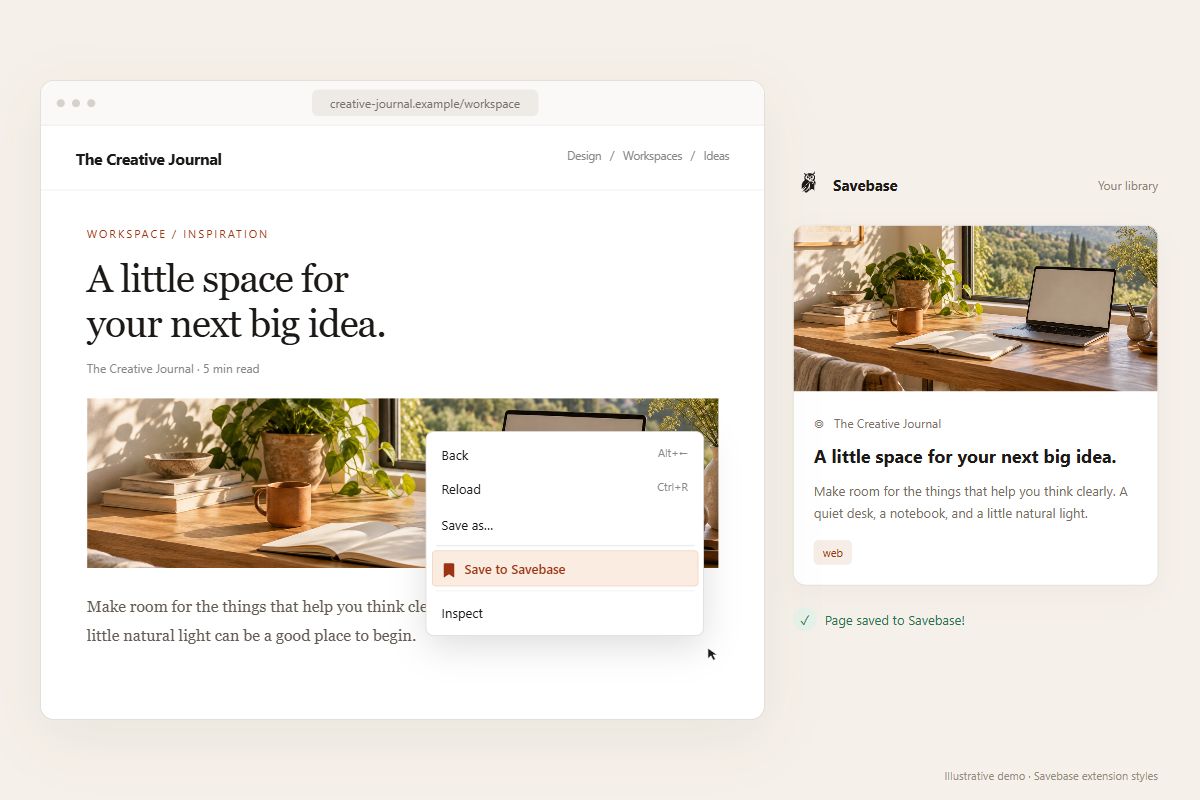
03 / SAVE THE PAGE
Keep a page for later.
Right-click and choose “Save to Savebase”. Keep the page’s link, title, and available preview image and description in your library.
The post. The media. The person behind it.
Bring what you find into one searchable Savebase library.
Free to install · Chrome, Edge & Firefox · Savebase account required
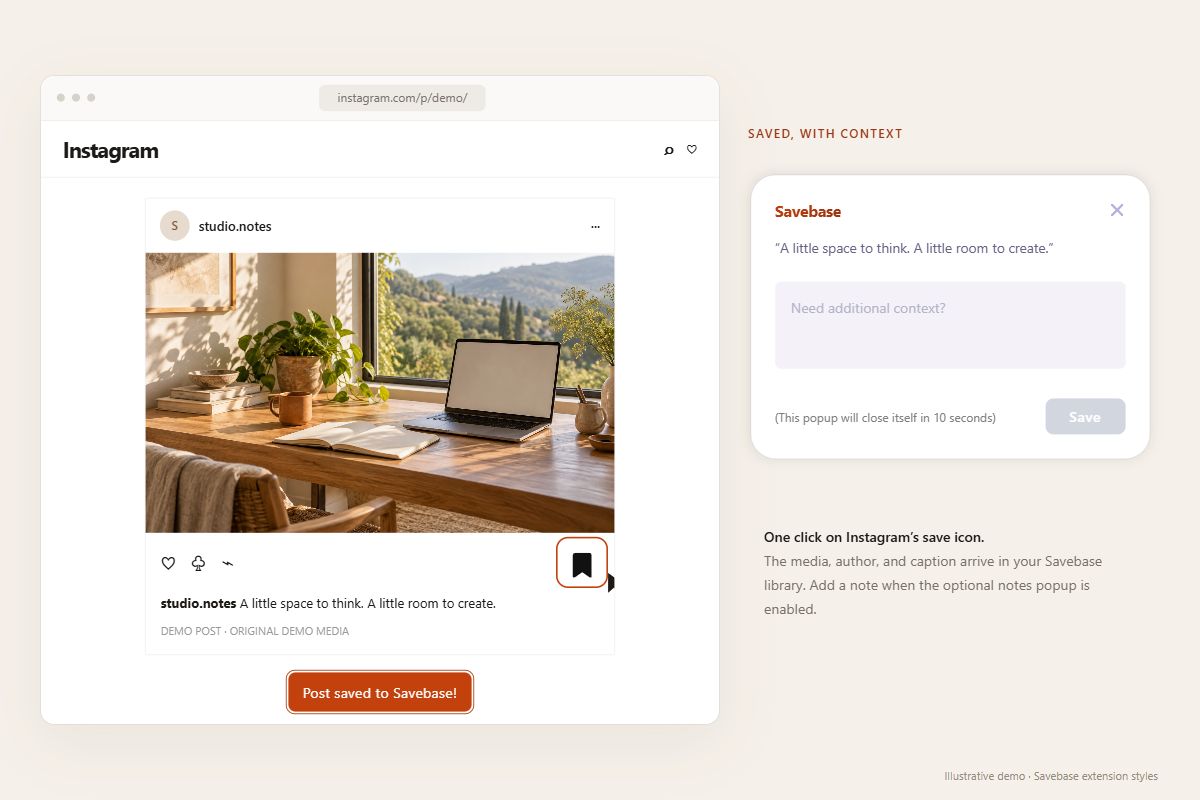
01 / SAVE AS YOU SCROLL
On Instagram, click the familiar bookmark icon. Savebase brings the author, caption, and available images or video into your dashboard. Add a note with the optional notes popup.
ONE LIBRARY, ACROSS YOUR FEEDS
Collect posts with their content, authors, and available media.
Your inspiration doesn’t have to stay scattered across apps.
02 / BRING YOUR SAVES WITH YOU
You’ve already collected the inspiration. Now give it a home you can search.
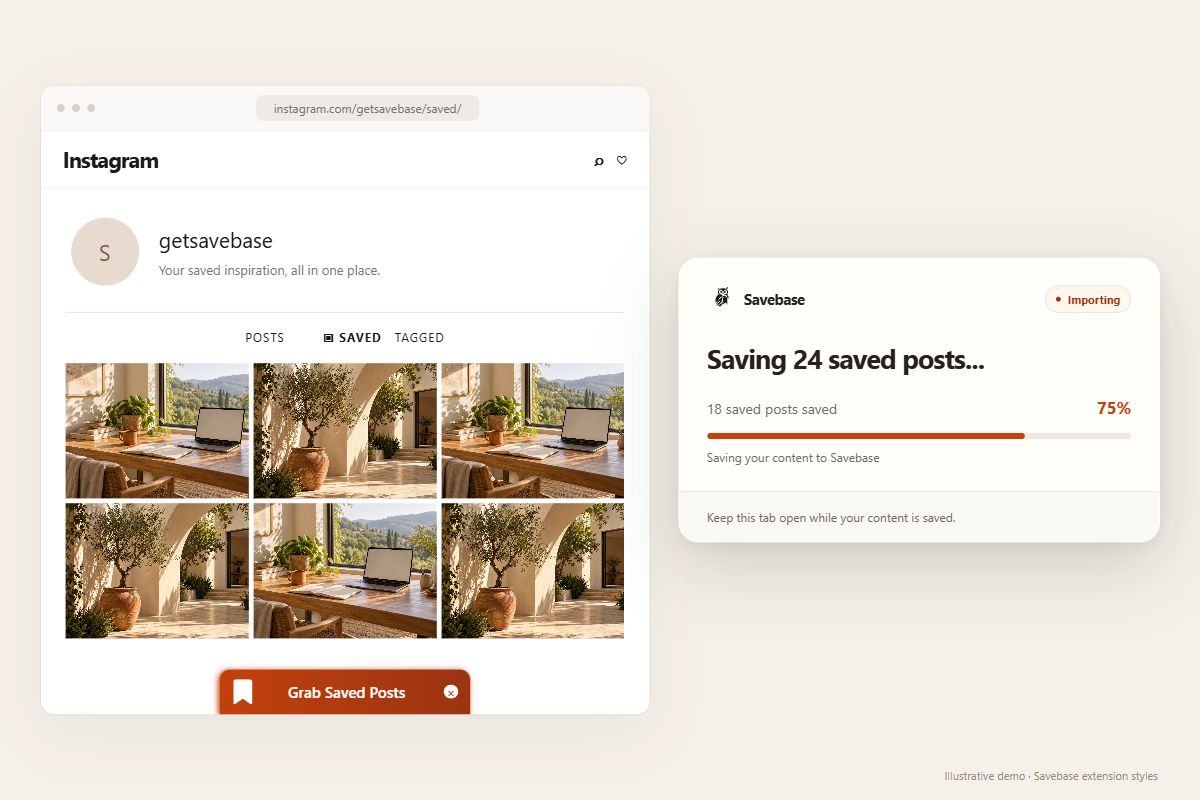
Go to your Instagram profile → Saved while signed in.
Use the Savebase bar at the bottom and keep the tab open.
Browse your imported posts together in your dashboard.
Already-saved posts are skipped. Imports follow your plan limits. Instagram collections become folders when their names are available.
FOR THE REST OF THE WEB
The useful page. The sentence worth keeping. Save both where you’ll find them.
03 / SAVE THE PAGE
Right-click and choose “Save to Savebase”. Keep the page’s link, title, and available preview image and description in your library.
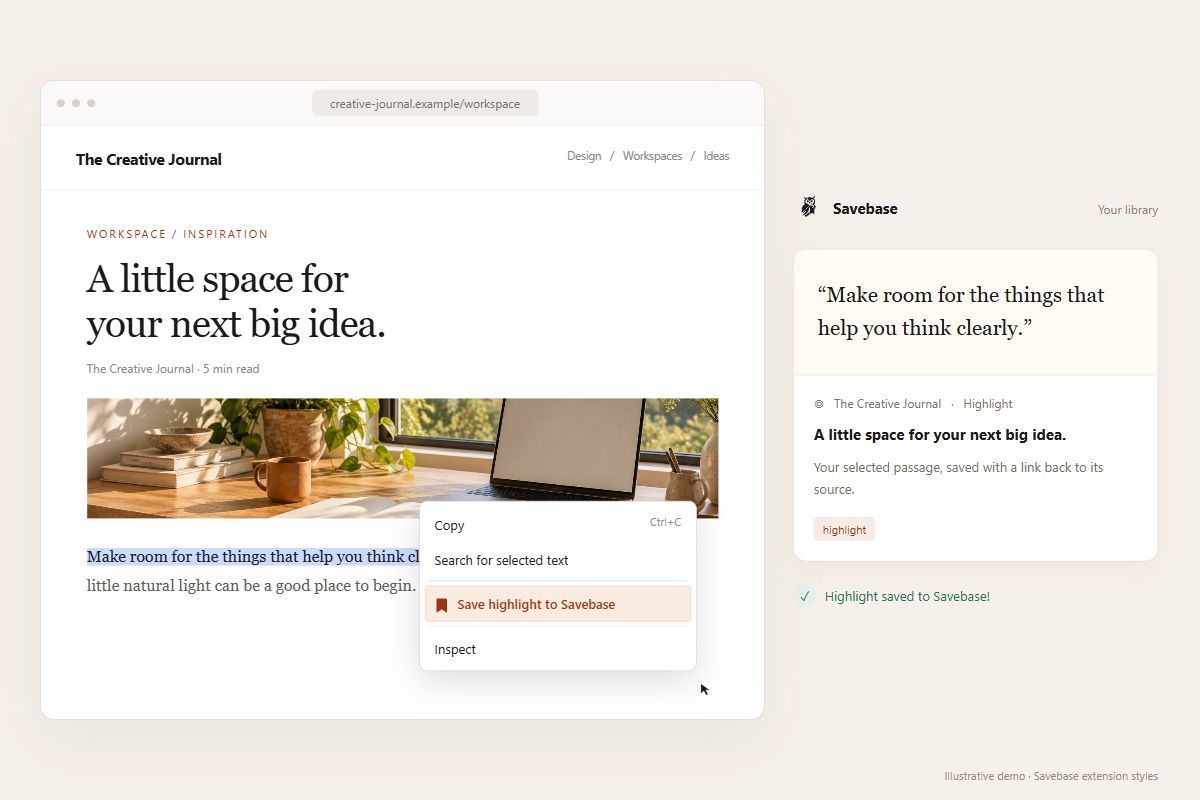
04 / SAVE THE THOUGHT
Select a passage, right-click, and choose “Save highlight to Savebase”. Your exact selection stays with a link back to its source.
MAKE YOUR BROWSER A SAVE BUTTON
Install Savebase. Sign in. Start keeping what catches your eye.
New to Savebase? Create your account
Savebase captures the post’s content, author, and available media so you can browse it in your dashboard. Images, videos, and carousels are supported where available. Media availability depends on the platform and your access to the original post.
Install the extension and sign in to Savebase. While signed in to Instagram, click Instagram’s own bookmark icon on a post. Savebase captures it in your library. If you enable the notes popup in your settings, you can also add context after saving.
Open your Instagram profile’s Saved page while signed in, then click the Savebase bar labeled ‘Grab Saved Posts’. Keep the tab open during the import. Savebase skips posts already in your library, respects your plan limits, and maps Instagram collections to folders when collection names are available.
Yes. Right-click a webpage and choose ‘Save to Savebase’ to save its link, title, and available preview details. To save a passage, select the text, right-click, and choose ‘Save highlight to Savebase’. The highlight keeps the selected text and a link back to its source.
Savebase has extensions for Chrome, Microsoft Edge, and Firefox. Choose your browser below, install the extension, and sign in to your Savebase account.
Yes. Sign in to Savebase to connect the extension to your library. A free plan is available; saving and importing follow your plan’s post and platform limits. See the pricing page for current limits.
Give your next good find a place in Savebase.
Get the extension